The itch
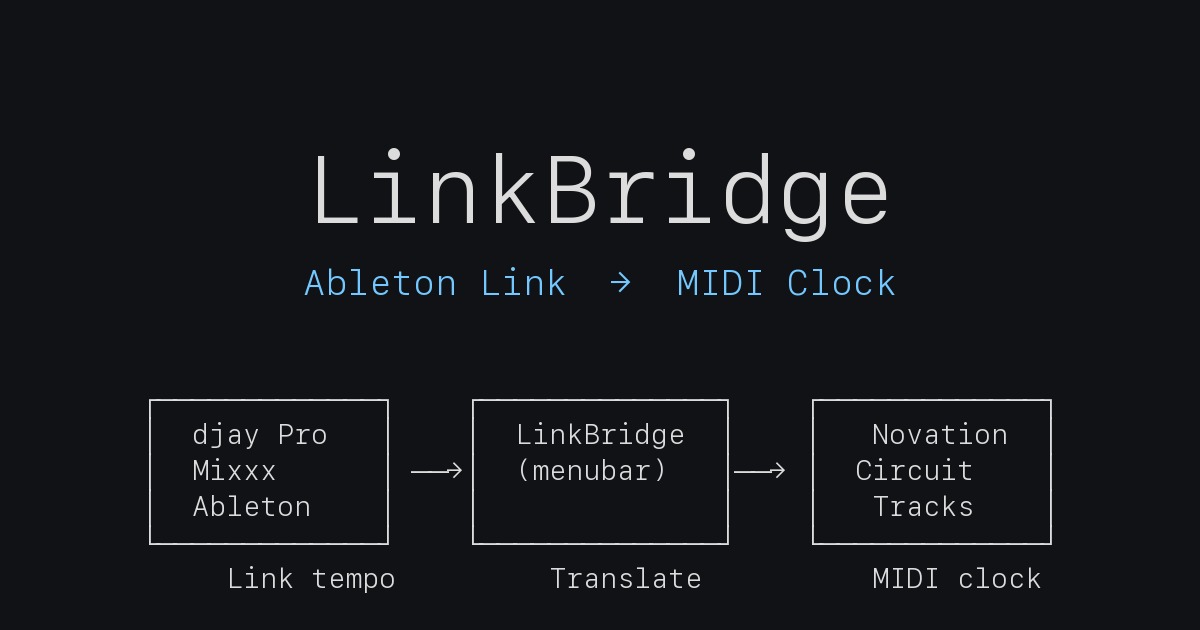
My home DJ rig runs djay Pro, Mixxx, or Ableton Live depending on the session — all three speak Ableton Link, so tempo stays consistent across apps on the same machine. The problem is my Novation Circuit Tracks. It’s a hardware sampler and step sequencer whose only tempo input is MIDI clock: 24 pulses per quarter note over USB. It has no knowledge of Ableton Link.
The gap meant tap-tempo every time I started a set, and then again mid-mix whenever the Circuit drifted a few milliseconds behind the laptop. Tap-tempo is the wrong solution — it trades a solved synchronisation problem for a manual one. What I needed was something that joins the Link session, reads the current tempo, and feeds it to the Circuit as a continuous MIDI clock stream.
The bridge
LinkBridge runs three threads sharing a lock-guarded ClockState dataclass. The architecture is documented in the README:
| Thread | Module | Job |
|---|---|---|
| Main | app.py | rumps menu bar UI, 500 ms label refresh |
| Clock | clock_engine.py | 24 PPQ MIDI clock generator with drift compensation |
| Link | link_monitor.py | aalink callback loop pushing tempo + transport into ClockState |
The Link monitor uses aalink (Python bindings for Ableton’s open-source Link SDK) and runs an asyncio event loop. It registers reactive callbacks on the Link object — one for tempo, one for transport (play/stop). Whenever the session tempo changes, the callback updates ClockState:
def _on_tempo(self, bpm: float) -> None:
    with self.state.lock:
        self.state.set_bpm(float(bpm))
The clock thread runs a tight 24 PPQ tick loop. MIDI clock is defined at 24 pulses per quarter note — a convention from the Roland MIDI implementation in the early 1980s, baked permanently into the spec. At 120 BPM that’s 48 ticks per second; at 140 BPM, 56. The interval per tick:
PPQN = 24

def _interval_for_bpm(bpm: float) -> float:
    return 1.0 / (bpm / 60.0 * PPQN)
Each iteration snapshots tick_interval and midi_out under the lock, sends a mido.Message("clock") to the port, then sleeps to a monotonic deadline rather than a fixed duration — which prevents drift accumulation across ticks:
def _tick_once(self) -> None:
    with self.state.lock:
        interval = self.state.tick_interval
        port = self.state.midi_out

    if port is not None:
        port.send(mido.Message("clock"))

    self._next_tick_time += interval
    sleep_time = self._next_tick_time - time.monotonic()
    if sleep_time > 0:
        time.sleep(sleep_time)
    elif sleep_time < -interval:
        # Fell badly behind — reset deadline instead of firing a burst of catch-up ticks.
        self._next_tick_time = time.monotonic()
mido with python-rtmidi handles the CoreMIDI layer. The Circuit Tracks appears as a standard class-compliant USB MIDI device. No virtual IAC bus required.
Menu bar wrapper
The UI is a rumps app running on the main thread. The status item title shows live BPM (♪ 125.0), refreshed every 500 ms from ClockState. Error states surface in the title: ♪ -- when no port is selected, ♪ ERR if the clock thread crashes.
The Output Device submenu lists available ports from mido.get_output_names(). Selecting one opens the port, stores the name in settings, and the clock thread picks it up on the next tick via shared state. A Refresh devices item rebuilds the list after plugging in new USB hardware.
Enable Start/Stop events is a checkbox that makes the clock thread send a MIDI START on Link play and STOP on Link stop — off by default, since some hardware reacts badly to unsolicited transport messages. State persists to ~/Library/Application Support/LinkBridge/settings.json.
Quit sends a final MIDI STOP if transport sync is enabled and the session was playing, closes the port cleanly, and exits.
Packaging
The .app bundle is built with py2app, which bundles the interpreter, all imported packages, and the project package into a self-contained macOS app. The distributable is a disk image produced by hdiutil — it mounts the bundle alongside a symlink to /Applications for a drag-to-install experience. The GitHub Actions release workflow builds the .dmg and attaches it to a draft release automatically.
The bundle ships with an ad-hoc code signature (no Apple Developer ID). For personal use that’s sufficient — on Sequoia (15+) the first launch requires a one-time System Settings → Privacy & Security → Open Anyway step, after which the app runs normally. Full notarization is out of scope for a personal tool.
What I’d add if I continued
MIDI Time Code sysex sync — the protocol older Roland drum machines like the TR-808 use — would extend the bridge to vintage hardware that predates class-compliant USB MIDI. Preset profiles per device would cut friction when switching between the Circuit Tracks and a TR-08 without manual reconfiguration. A Linux build via PyInstaller is structurally straightforward: aalink and mido are cross-platform, the original codebase started as a Linux/ALSA implementation. The blocking piece is rumps (macOS-only); a pystray wrapper would fill that slot.
Code is on GitHub if your rig has the same gap.